PDF Bolt · Android 8.0+ · Phones and tablets
PDF reader and editor
for Android, offline.
Sign, scan, annotate, compress and convert documents offline. Your files are processed on your device: they are never uploaded to any server.
01 — Features
One app.
All your paperwork.
No accounts, no uploads, no ads in the way. Open, create and edit PDFs exactly when you need them, even with no signal.
See all tools- PDF Reader Zoom, search, night mode, highlighting, page navigation and orientation. Free
- Signature & annotations Reusable handwritten signature, highlights, sticky notes, pen and marker. Free
- Document scanner Detects edges, applies 7 filters and creates searchable PDFs with OCR. Free
-
PDF converters Word to PDF offline; PDF to Word and PDF to images with Pro. Pro
-
Organize & protect Merge, split, rotate, duplicate, extract, compress and password-encrypt. Pro
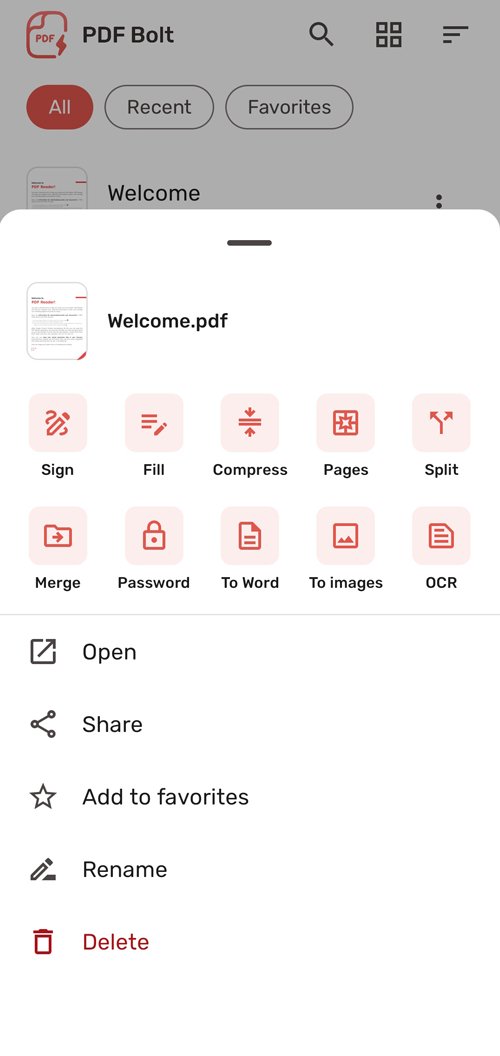
- File manager All, recent and favorites; rename, share and delete in one tap. Free
-
Total privacy On-device processing, optional file permission and no servers. Free
02 — Reader
Reading PDFs the right way.
Get to the end of the document without uploading anything anywhere. The reader opens password-protected PDFs and works offline, airplane mode included.
"I open the document with PDF Bolt and that's it: I don't need five apps for this."
Zoom & continuous reading
Zoom up to 400% and move page by page or continuously, with optional two-page view.
Text search
Jump to every match in one tap and highlight results to review the whole document.
Read & night mode
Light, dark and sepia themes, plus a single-page mode that adapts to the document's text.
Open & resume
Return exactly where you left off and open any PDF from WhatsApp, Drive or your file manager.
03 — Sign & edit
Contracts signed in forty seconds.
You can also fill in forms with interactive fields or by writing directly on the page.
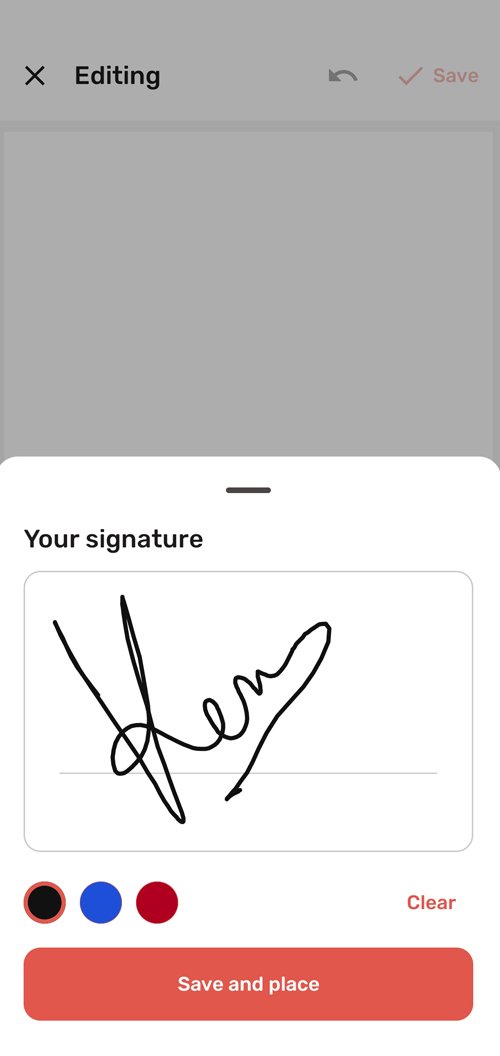
- Handwritten signature Draw it once, save and reuse. Move, resize and rotate the signature anywhere.
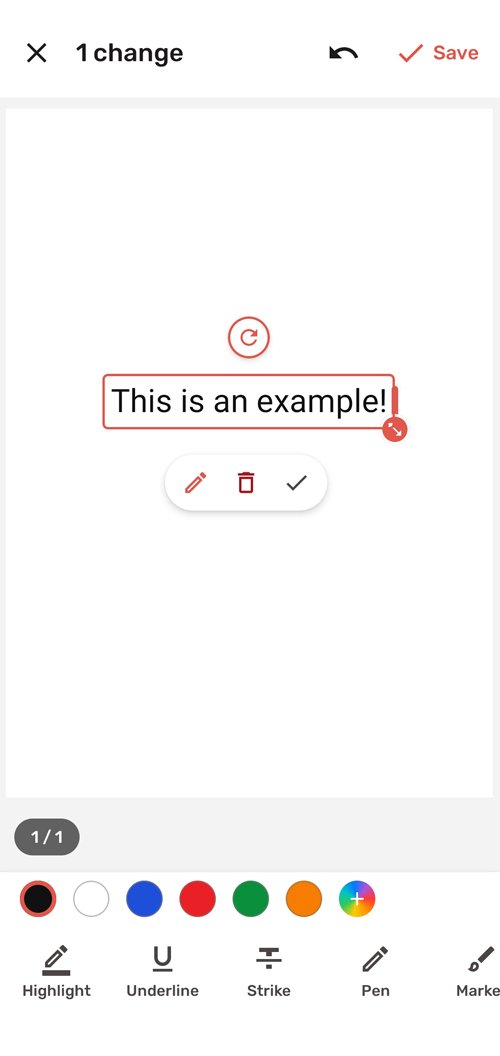
- Highlight & underline Highlighter, underline and strikethrough with different widths and colors to study or review.
- Freehand notes Pen, marker and sticky notes for any page of the document.
-
Edit text Correct the existing text of the PDF directly on the page. Pro
04 — Tools
Conversions and organization, in one tap.
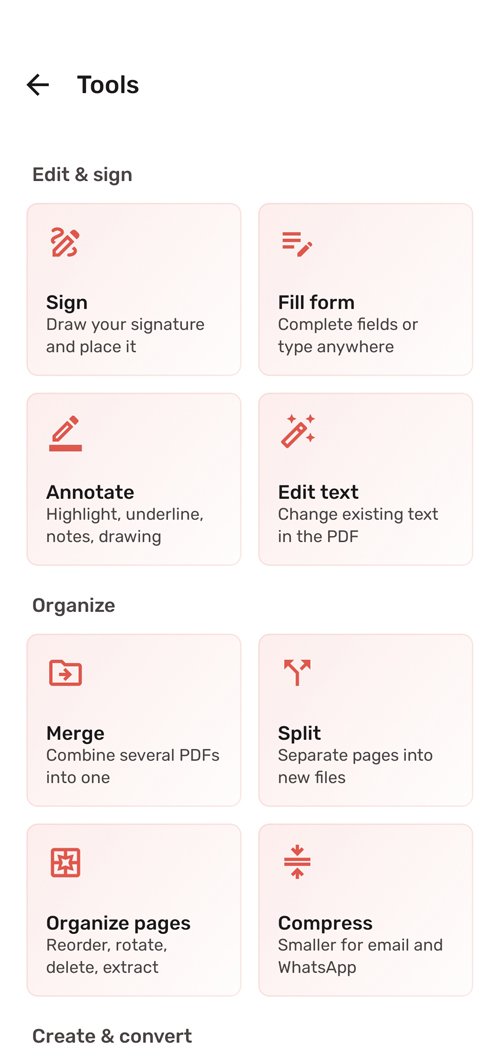
Eight utilities for everyday use. The basics are free; with Pro you get the full conversion pack. Everything, again, offline.
-
01
Word → PDF
Converts .docx keeping formatting, lists, tables and images.
Free -
02
PDF → Word
Extracts the text into an editable .docx document.
Pro -
03
PDF → Images
Exports pages to JPG or PNG at 150 or 300 DPI.
Pro -
04
Compress PDF
Reduces the size in three levels; strong compression with Pro.
Free -
05
Merge PDF
Combines several documents into one and reorganizes the order.
Free -
06
Split PDF
Splits a document by pages or ranges.
Free -
07
Organize pages
Rotate, duplicate, extract and delete pages freely.
Free -
08
Protect PDF
Encrypts with a password or removes a document's protection.
Free
05 — Screenshots
See PDF Bolt in action.
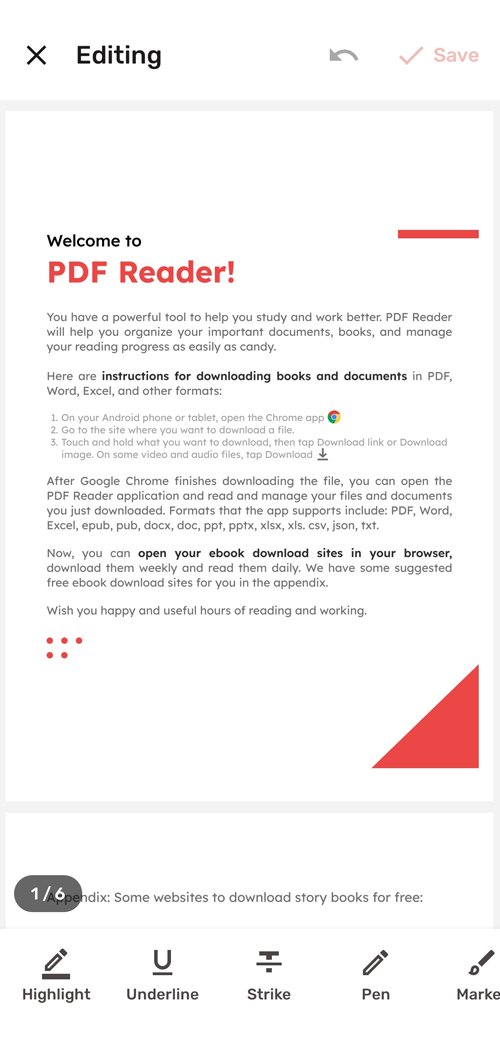
A clean interface to read, sign, scan and create PDFs without overcomplicating things.
06 — Files & system
Your PDFs, where you expect them.
A built-in manager brings all your documents together, and Android integration makes PDF Bolt feel like part of the system.
-
rental-contract.pdf
Signed today · 2.4 MB
-
january-invoice.pdf
Scan + OCR · Yesterday
-
user-manual.pdf
Compressed · 860 KB
-
work-notes.pdf
Annotated · Favorite
07 — Plans
Free to start. Pro for everything.
The app works fully in its free version, with ads. Pro unlocks the conversion pack, OCR, text editing and the ad-free experience, with a 3-day trial.
Free
0 €
Forever · with ads
- Full reader with search and night mode
- Handwritten signature and annotations
- Scanner with 7 filters but no OCR
- Word to PDF, compress, merge, split and protect
Annual
Price set in Google Play · the app shows the monthly equivalent
- No ads
- OCR for searchable scans
- PDF to Word and PDF to images (150 / 300 DPI)
- Strong compression and editing of existing text
08 — Questions
Frequently asked questions
Does PDF Bolt work offline?
Yes. Almost all features —reader, signature, annotations, scanner, merge, split, organize, compress and conversions— are processed on your device. Documents are never uploaded to any server, so you can use the app in airplane mode.
How much does PDF Bolt cost?
The app is free. PDF Bolt Pro is an annual subscription with a 3-day free trial and includes no ads, OCR, PDF to Word, PDF to images, strong compression and editing of existing text. The price is set in Google Play Console and the app also shows it as "equivalent to X per month".
Can I sign and fill in PDF forms?
Yes. You draw your signature once and it is saved for reuse; then you can place, move, resize and rotate it freely. You can also fill in forms with interactive fields or by writing anywhere on the page.
Which formats can I convert?
Word to PDF (.docx) offline, keeping formatting, lists, tables and images. With PDF Bolt Pro you also get PDF to Word (.docx) and PDF to images JPG/PNG at 150 or 300 DPI. You can also create PDFs from gallery images in A4, Letter or the image's real size.
Does the scanner make the text searchable?
Yes. The scanner detects and crops the edges automatically, supports multiple pages in a single PDF and offers 7 filters: Original, Enhanced, Magic color, Black and white, Grays, Lighten and Ink saver. You can enable OCR to make the text searchable and copyable.
Where are the files saved?
Everything you create or modify is saved in Documents/PDF Bolt inside your storage. You can also rename, share and delete files from the built-in manager.
Can I open password-protected PDFs?
Yes. PDF Bolt opens password-protected PDFs and also offers tools to protect a PDF with encryption or remove its password.
Do I need the "access all files" permission?
No. The permission is optional: without it you can still open files, and it will only be requested if you want the app to find and organize all your PDFs automatically.
Which devices and languages does it support?
PDF Bolt requires Android 8.0 or higher. It is available in 8 languages: Spanish, English, French, German, Portuguese, Italian, Turkish and Arabic.
Can I share PDFs to other apps?
Yes. You can open PDFs and Word files with PDF Bolt from WhatsApp, Gmail, Drive or file managers, and from other apps' Share menu you'll have access to Sign PDF, Compress PDF, PDF to Word, Merge PDFs and Convert to PDF.
PDF Bolt 1.0.2 · Android 8.0+
Stop using five apps.
Use one.
Read, sign, scan and convert PDFs in one place, offline and without uploading your documents anywhere.